The Challenge
Many vendors. One catalog.
As lead designer for the platform, my job was to bring a scattered set of third-party cloud services into one self-service marketplace.
The hard part was hiding complexity. Vendors priced and licensed their software in different ways, and private-cloud deployment came with highly technical settings. Enterprise IT buyers needed all of it in one consistent catalog they could use on their own.
“With only a few apps at launch, a big search catalog would have felt empty. So we built a storefront that felt complete on day one and could grow with the catalog.”
Varied Pricing Models
Third-party products were sold in different ways but had to sit in one consistent catalog.
Licensing and Deployment
Licensing terms and private-cloud deployment settings had to become clear choices buyers could make on their own.
A Small Launch Catalog
Only a few applications were ready at launch.
How We Got There
Five Moves, From Workflow Mapping to the Keynote Stage
Select a phase to see what happened in it
Deconstructing Cloud Procurement Workflows
We studied how each third-party product was sold, then mapped one configuration template for product detail pages that could handle very different pricing models and deployment variables.
Defining Layout Frameworks and Product Scope
We chose clear categories and simple browse paths over heavy filtering for launch. The wireframes could grow with the vendor catalog, and they let the team cross-check feature priorities.
Grid, Contextual Configuration, Checkout
Three screens take buyers from the storefront to a configured order: a catalog grid, an inline configuration panel and a split-panel checkout with a live order summary.
Cross-Project UI Standardization
One design spec, with core components, interaction behaviors and a custom icon library for infrastructure metrics, became the single source of truth across the cloud portfolio.
Executive Alignment and Product Storytelling
With SVPs and Directors, I helped shape the CiscoLive! keynote demo and worked with a vendor to tie all the products together into one story.
From Flow to Framework
User flow: sign-up / invitation → browse or search → select service → select plan → configure → check out → manage
Wireframe to Final
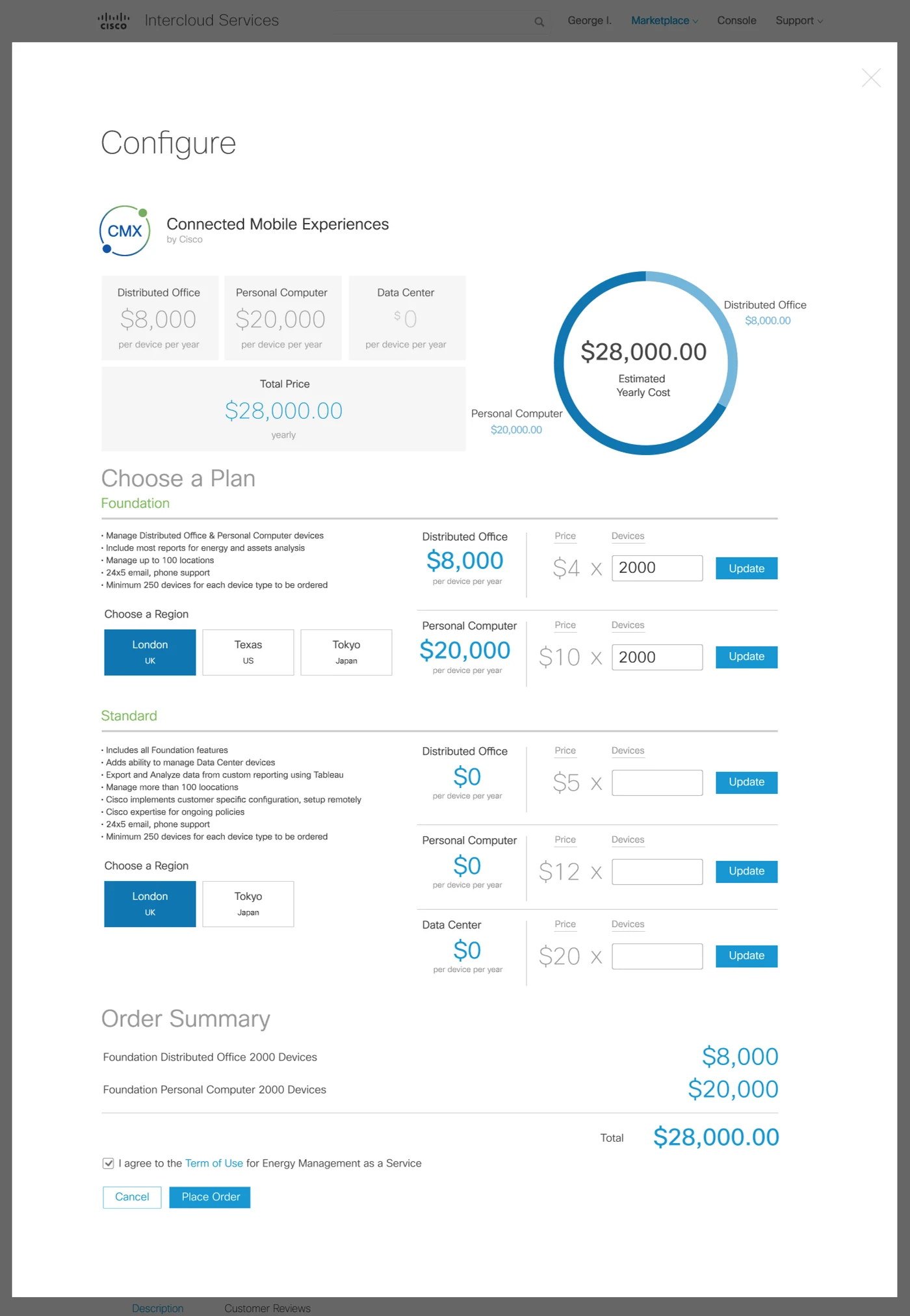
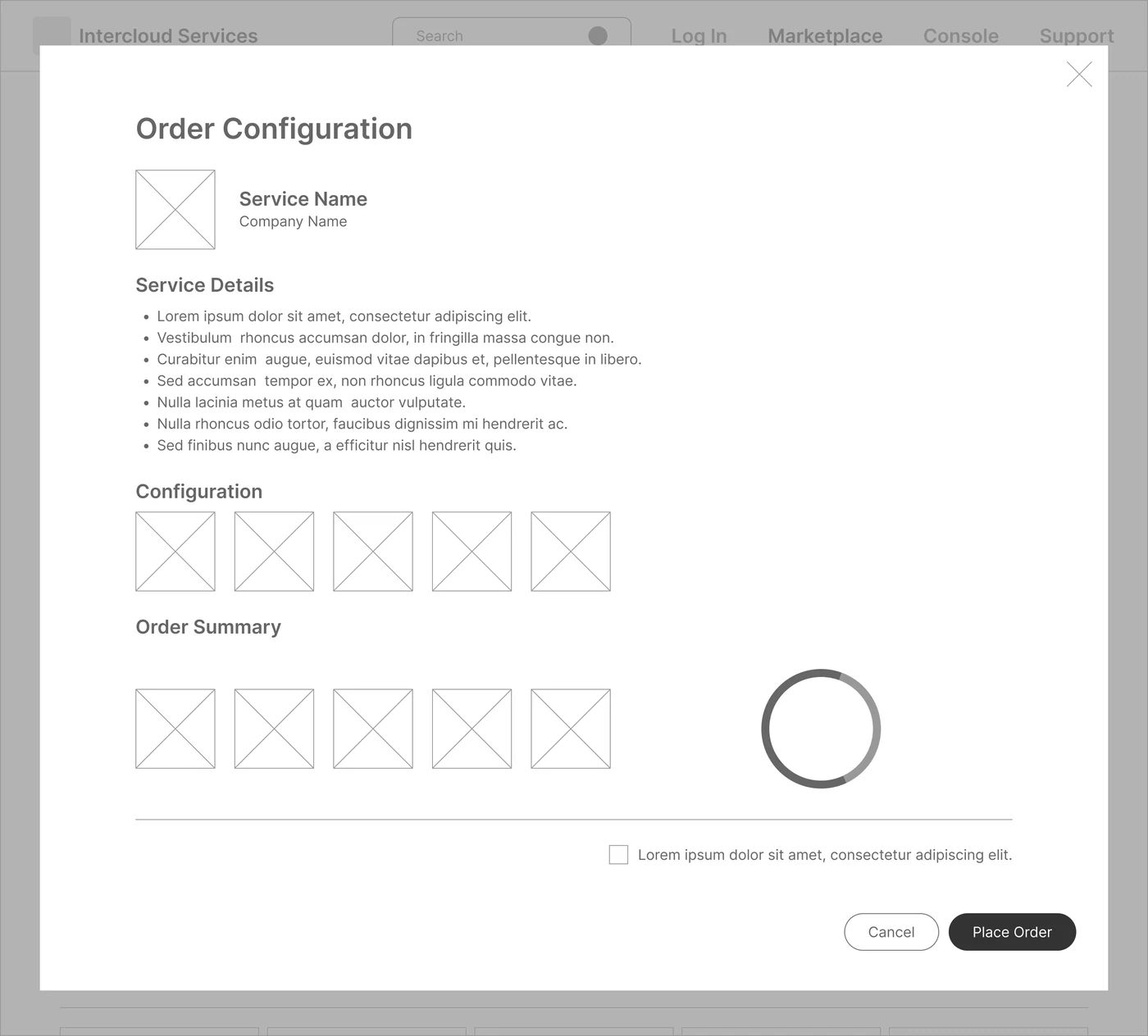
The order-configuration view, before and after. Drag the handle to compare.
Key Screens
Browse, configure, check out.
One Grid for the Whole Catalog
One dashboard holds the entire launch catalog. Third-party cloud services sit in a scannable grid, grouped by provider type and infrastructure function: application services, data analytics and developer tools.
IT operators can scan what’s available, switch between vendor categories and see pricing at a glance, without digging through pages.
Configure Without Leaving the Catalog
Selecting an application opens a panel inline with its full details, so buyers keep their place in the catalog. This panel is the configuration template that fits every vendor’s model.
Pricing tiers, deployment options and hardware specs sit in the same panel, so buyers set options and check infrastructure compatibility in one place.
See the Cost Before You Order
A split-panel checkout walks buyers through the last deployment settings and financial sign-off. As they pick a hosting environment, region and storage scale, the order summary updates the cost in real time.
It replaces manual ordering paperwork, and procurement teams see the full cost and configuration before they commit to a deployment.
The Solution
One Storefront, From Discovery to Checkout
I defined one storefront framework that brings service discovery, configuration and purchase together in a single-page workflow.
A configuration interface that updates in real time made complex deployment settings simple. It took the paperwork out of buying enterprise cloud software and gave every vendor’s application the same clear path to purchase.
A Single-Page Storefront
Complete on day one with a small catalog, and built to grow.
See the catalog grid↓One Configuration Template for Every Vendor
Pricing tiers, deployment options and hardware specs in one inline panel.
See inline configuration↓Real-Time Cost Feedback
The order summary updates as buyers change settings, so they see the full cost before committing.
See checkout↓A Shared Spec for the Portfolio
Shared UI patterns, interaction behaviors and an icon library, so every team’s features could stay consistent.
See the design system↓Design System
One Spec Across the Cloud Portfolio
To keep the wider cloud portfolio consistent, I set up a central design spec as the single source of truth for our UI patterns: core components, interaction behaviors and a custom icon library for infrastructure metrics.
With the guidelines written down, product teams could build marketplace features on their own and still look consistent, with less duplicate front-end design work.
Outcomes & Reflection
- WorkflowOne Place to Find, Configure and Buy
Discovery, configuration and purchase sat in one workflow instead of separate steps and paperwork.
- ClarityCost Visibility Before Commit
The checkout showed buyers the full cost and configuration before they placed an order.
- ScaleOne Spec for Every Team
The shared spec gave product teams one set of components and patterns to build marketplace features on.
- AlignmentExecutive Alignment on the Roadmap
Engineering, product management and leadership agreed on the platform’s long-term roadmap.
Leaders buy in when they can click through the vision.
Building the Keynote Demo
The marketplace launched, then was shut down soon after for reasons outside UX and design.
For the CiscoLive! keynote, I helped build the demo and helped write its script, then taught the executives what to say and where to click. Working directly with SVPs and Directors also got product engineering, product management and leadership onto one long-term roadmap.